
Manage Your Assets
Every phone, power bank and gas card, accounted for.
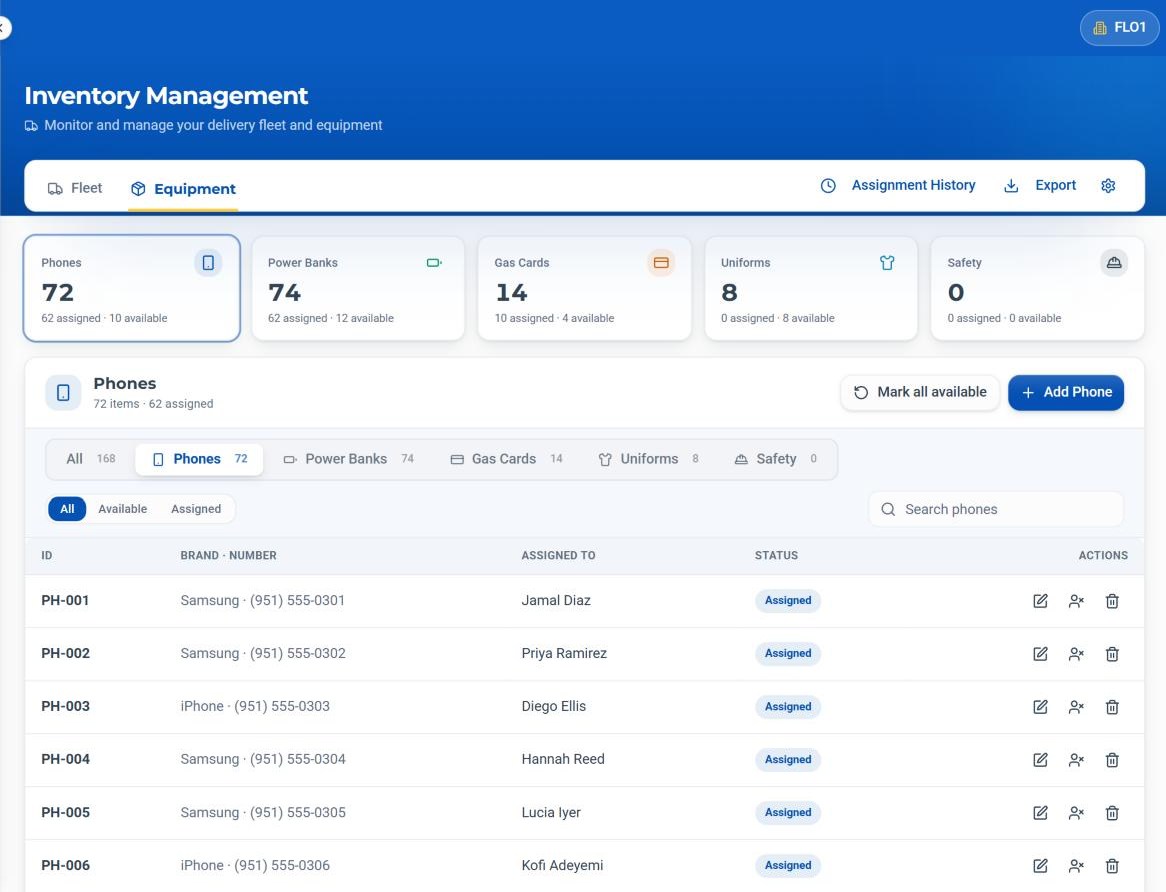
Track the equipment your station hands out every day, see who has each item, and move it between drivers without losing the trail.
The problem
Devices walk off when no one knows who had them last.
A phone goes missing, a power bank never comes back, a gas card ends up in the wrong pocket. A notebook can't keep up with a station.
How FLO solves it
FLO tracks each item by kind, shows who it's assigned to, and records every hand-off from the Daily Timesheet.
Inside Equipment & Devices
What it does, in detail.
Six kinds of equipment
Phones, power banks, gas cards, uniforms, safety and delivery gear, each with its own tab and totals.
Assigned to
See who has each item, and how many are assigned or available.
Transfers
Move a phone or power bank to another driver from a published timesheet row.
Masked gas card numbers
Gas cards show only the last four digits on screen.
Assignment History
Who had which item, and when.
Mark all available
Reset the day's assignments in one step.
How it works
Four steps, every time.
Add equipment
Add items by kind, with the details that matter for each.
Assign
Hand out phones and power banks on the Daily Timesheet.
Track
See assigned and available counts all day.
Reset
Unassign items or mark all available at day's end.
The specifics
The details your team will ask about.
Details per kind
- Phones: brand and number
- Power banks: notes
- Gas cards: last four digits
- Uniforms: item and size
- Safety and delivery gear: item
On each item
- Edit
- Unassign
- Delete
- Search by kind
Who it helps
Built for everyone at the station.
Operations Managers
A clear picture of every device.
Dispatchers
Devices handed out on the same grid as routes.
Fleet Managers
Equipment tracked alongside the vans.
DSP Owners
Fewer lost devices, clear accountability.
Keep exploring
Related areas of FLO.
- Yes. Every item shows who it's assigned to.
- Vans live on the Fleet tab of the same Inventory page.
- No. Only the last four digits appear on screen.
- Assignment History shows who had which van or equipment and when, and the fleet list can be exported.
See Equipment & Devices with your own station.
Book a walkthrough with our team, or start a 30-day free trial and set it up yourself.
30-day free trial · Independent software, not affiliated with Amazon