
For Operations Managers
Plan the week. Close out every day.
Run the day from one connected view, from the morning report through the Daily Timesheet to the End of Day sign-off, without stitching spreadsheets and chats together.
What gets in the way
The problems, and how FLO solves them.
Schedules break the rules before anyone notices.
Scheduling with built-in limits
A seventh consecutive day is blocked, and weekly hours past 40 are flagged as you build the week.
Routes, vans and devices live in different places.
Daily Timesheet
Every route paired with a driver, van, phone and power bank on one published grid.
The day never quite gets closed out.
End of Day reports
End the Day files the report and its sign-off. A missed day is flagged before the next one starts.
Coaching and write-ups get lost.
Onboarding
Associates, write-ups and coaching, kept together for each person.
See it in FLO
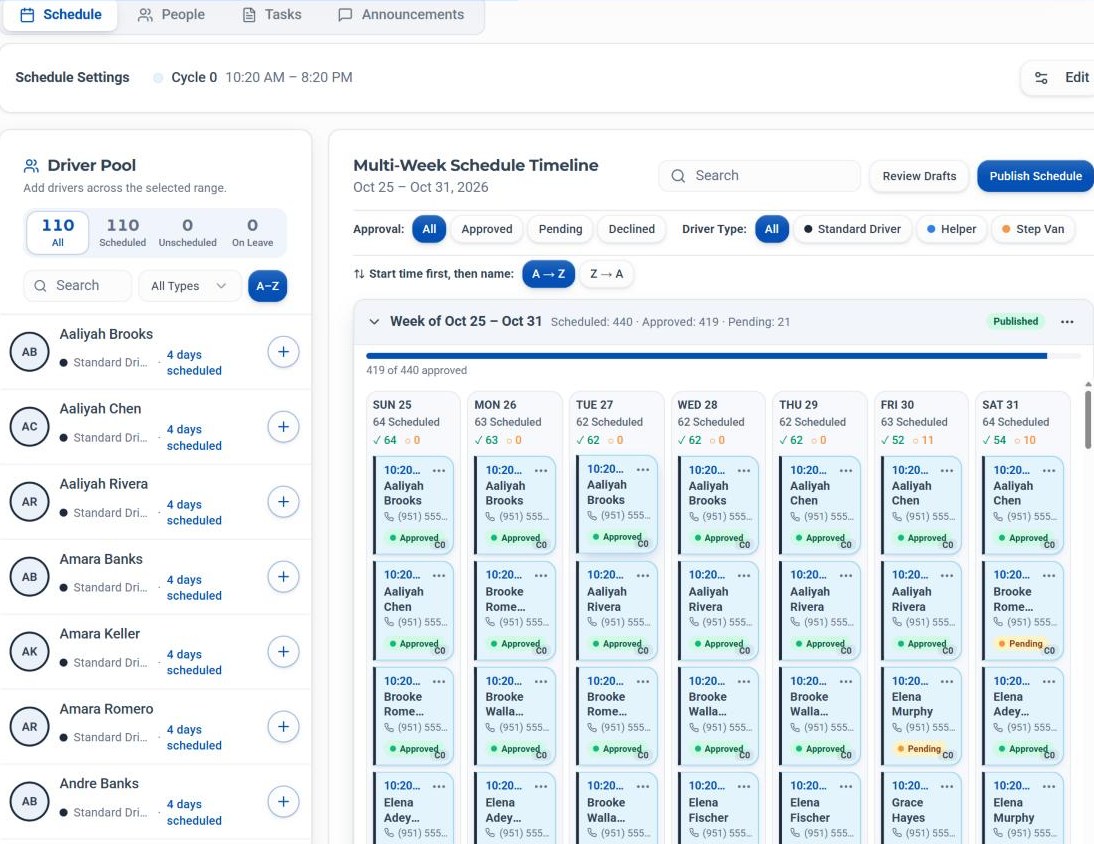
The screen you'll use most.
A week of shifts by cycle, with every driver at four days.
See FLO through your own day.
Book a walkthrough built around how operations managers work, or start a 30-day free trial.
30-day free trial · Independent software, not affiliated with Amazon